Identity secured, trust assured
Every tap,accounted for.
VERIVA turns one tap of an ID card into a verified entry, an attended class, an hour worked and a signed-off payroll. On campus and on site, with or without a network.
- Works offline
- Phones and Android terminals
- Face and location checks
This morning
Live
 Laptop cleared to leave
Diane Mukamana
Main gate · 08:02
- C4Reported lost: stopped
Card 4F2A
East gate · 08:01
 Clocked in, face matched
Eric Habimana
North field team · 07:59
 Entry verified
Aline Uwase
Main gate · 07:58
From the gate to the payroll register
One tap travels a long way.
Most systems stop at the door. VERIVA follows the same tap until it is a number someone has signed for, so the gate, HR and finance read from one record.

Aline Uwase
Quality technician · EMP-0142
04 · A3 · 4F · 2A
A card, a phone or a face. One tap is the whole job for the person at the gate.
A card touches a reader. At a gate, a classroom door or a team leader's phone. Nothing to type, nothing to remember.
Modules
Switch on what you need. Nothing else.
Start with one gate. Add attendance, phone clock-in or the helpdesk when you are ready: every module shares the same people, cards and sites. Tap any module to watch how it works.
Gates and identity
- Campus Entry Entry and exit taps at every gateSee how it works
- Watch list Stops lost cards and flagged people, even offlineSee how it works
- Device Registry Registered laptops with QR labelsSee how it works
- Gate Verification May this person take this device out?See how it works
- Incidents Security reports, severity and resolutionSee how it works
- Offline taps Kept through network loss, sent exactly onceSee how it works
Time and attendance
- Class Attendance Courses, enrolment and tap-in class sessionsSee how it works
- Conduct Conduct marks: pick the offence, tap the cardSee how it works
- Class reports Each class's attendance and conduct, ready for the report cardSee how it works
- Workforce Attendance Schedules, hours, leave, overtime, sign-off and pay runsSee how it works
- Phone clock-in Clock in from a paired phone inside the site boundarySee how it works
- Face verification The right person, alive, in front of the cameraSee how it works
- Workforce reports Punctuality and overtime by team, week by weekSee how it works
Service and platform
- Helpdesk Requests answered by teams, with stages and deadlinesSee how it works
- Audit trail Who changed what and whenSee how it works
- API access Keys for student, HR and reporting systemsSee how it works
- Station app Android app for gate phones and terminalsComing soon
- Branded login Your own address and your logoSee how it works
At the gate
The gate keeps working when the network does not.
A guard's phone or an Android terminal is the whole station. If the connection drops, taps wait on the device and are sent once it returns, each exactly once.
- Lost and flagged cards are stopped, even offline
- Laptops leave only with their owner
- Each guard sees only their own gates
Main gate
Entry and exit
Aline Uwase
Entry recorded · 07:58
No network. 3 taps kept on this phone.
Card 4F2A is reported lost. Do not let it through.
In the field
Clock in from the field, and prove it.
For crews far from any gate. The phone must be inside the site's boundary and the face must belong to the employee. A team without phones shares one device.
- Location checked against the site boundary
- A head turn tells a person from a photo
- Faces are matched on VERIVA's own servers, with consent
Inside Musanze Farm
Turn your head to the left
So we know it is you, and not a photo
Clock in

For finance
Know what the month cost, and why.
Labour cost by site, team, department and branch. Overtime authorised against overtime worked. Every clock event added or removed by hand, with who did it and the reason.
- Overtime nobody authorised is never paid
- An approved pay run is cancelled and rebuilt, never edited
- Executives see totals, never one person's pay
Labour cost by site · September
RWF 6,075,323
Kigali Plant5,012,385
Musanze Farm714,350
Rubavu Depot348,588
Normal and leave Overtime
Offline first
Gates and team devices keep working through a network cut and catch up on their own.
Faces stay with us
Face matching runs on VERIVA's own servers. No third party sees a face, and nobody is enrolled without consent.
Nothing changes quietly
Every change is recorded with who made it and when. Approved days are locked.
Yours to switch off
Pay by the month or the year. Modules are added and removed as you need them.
Who it is for
Built for the places people walk into every day.
Universities and schools
Colleges, schools, departments and programmes, as your statutes name them. Student cards, gate entry, registered laptops and class attendance by tap.
- Student ID cards and gates
- Laptop registry and gate check
- Class attendance for lecturers
Companies and sites
Plants, farms, depots and offices. Shifts, teams and team leaders, authorised overtime, a sign-off chain and gross pay built from hours people have signed for.
- Clock-in by card, phone or team device
- Overtime authorised before it is worked
- Sign-off chain and pay runs
Pricing
Plain prices. No charge per tap.
No payment details to begin, and modules added or removed as you go.

Rooted in Rwanda
A country that knows each of its own.
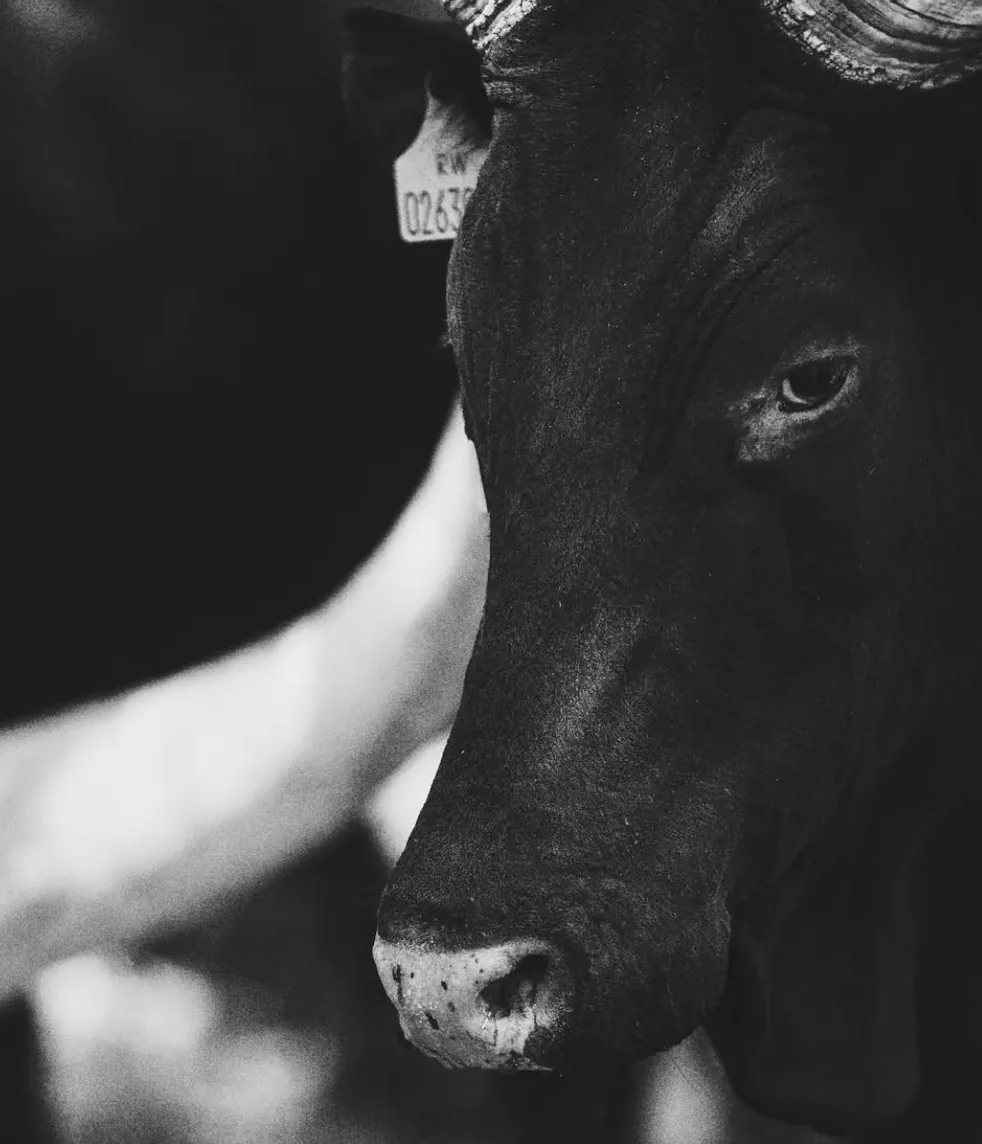
Rwanda's Inyambo cattle each wear a numbered ear tag that says who they are and where they belong. Every year at Kwita Izina, each baby mountain gorilla born in Volcanoes National Park is given a name of its own.
VERIVA is built here, on the same idea: everyone who comes through your gate is known by their own card and their own record.
- Inyambo
- The royal cattle of old Rwanda, prized for their horns
- Kwita Izina
- The yearly naming of the newborn gorillas
Murakaza neza, welcome
Start with one gate.
Set up your organisation, issue the first cards and watch the first taps arrive today.